
With Presence and Instant Messaging, you can share your online status (presence) and exchange instant messages with contacts who are also using Ubity UC Mobile or Desktop.
1 Send an IM
You can send an instant message (IM) to a contact.
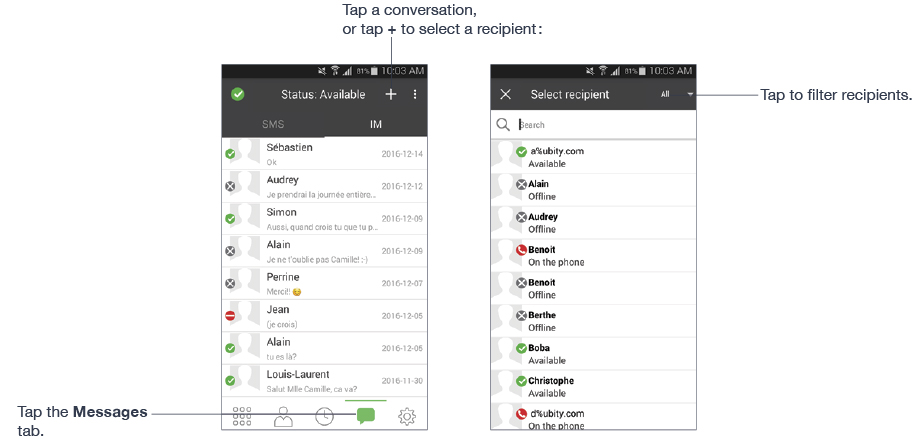
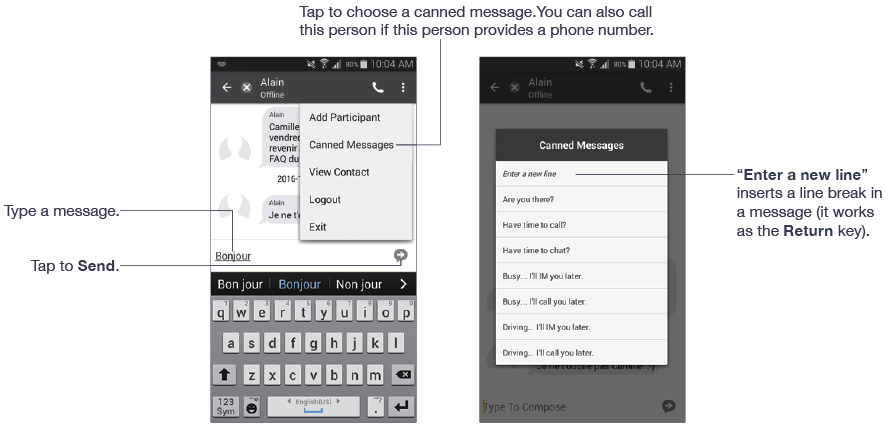
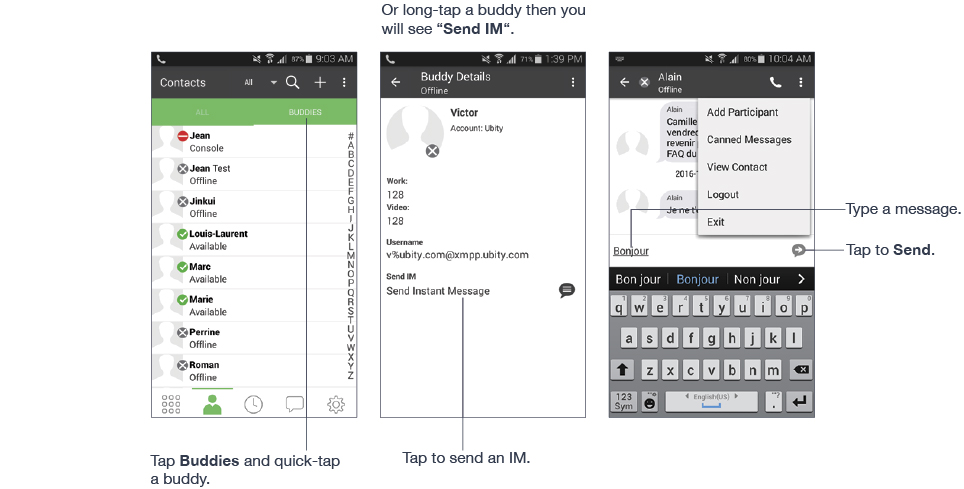
By Selecting a Contact
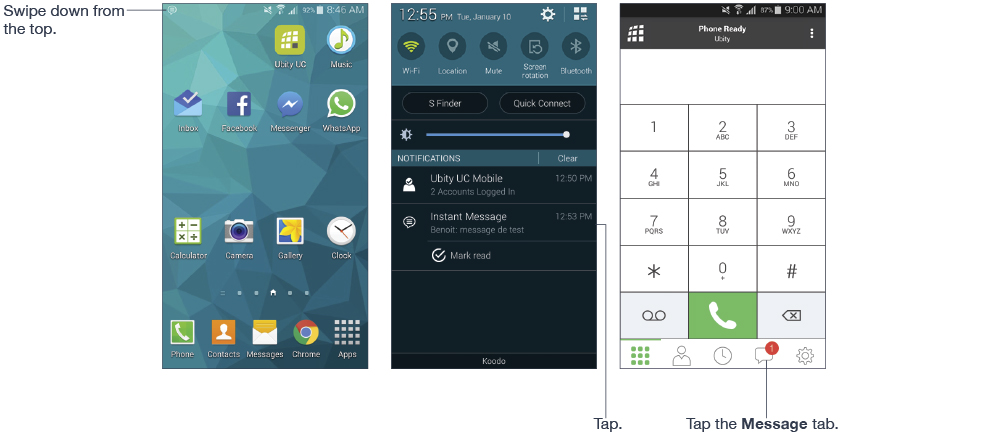
2 Receive an IM
An alert comes up when you receive an IM.
3 Start group chat
Invite up to 10 buddies for a maximum of 11 people in a group chat.
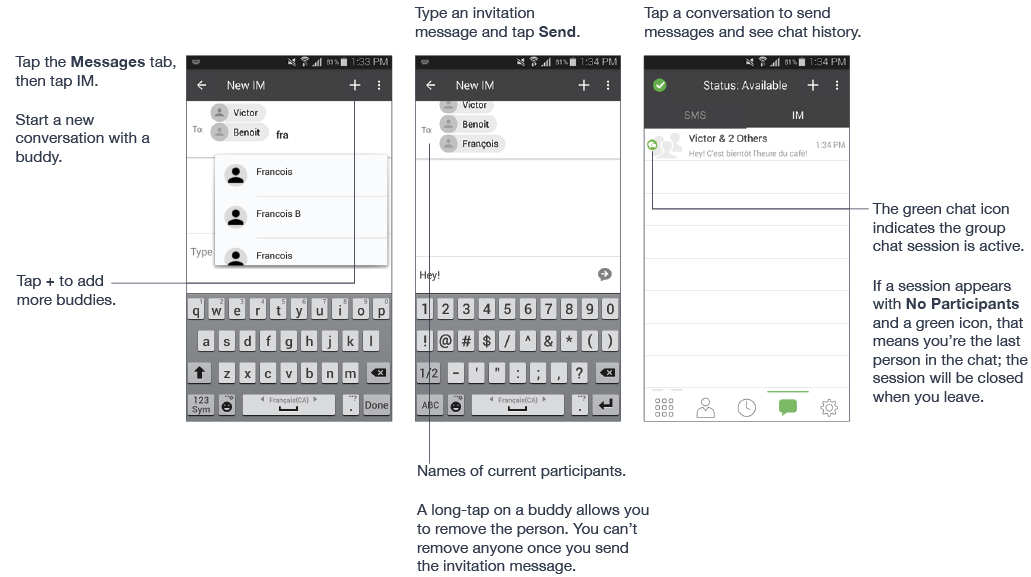
Once a group chat is held with participants, you can’t add more buddies or remove some of the participants.
4 Set your own status
When you start Ubity UC Mobile, your online status becomes “Available”. When you make or receive a phone call, Ubity UC Mobile automatically updates your status to “On the phone” if your online status is “Available” and no custom status note is specified. You can change your status from “Available” to other statuses such as “Busy” or “Away”. Once you change your status from “Available” or specify a custom status note, your status will remain as specified until you switch yourself.

Presence
| Status | Means that… |
|---|---|
 Available Available |
People can call you and send you an IM. If no custom status note is specified, Ubity UC Mobile automatically switches “Available” to “On the phone” when you make or receive calls. |
 Away Away |
People can call you and send you an IM. |
 Busy Busy |
People can call you and send you an IM. |
 Do not disturb Do not disturb |
No one can call you; the call fails and your call history shows a missed call. Your buddies can send you IM; an alert comes up on the Messages/IM tab. |
 On the phone On the phone |
When you make or receive phone calls, Ubity UC Mobile automatically updates your status to “On the phone” if your status is “Available” and no custom note is specified. When your call finishes, your status goes back to “Available”. While you’re on the phone, you can still send and receive IMs. |
 Appear offline Appear offline |
You’re able to see presence of your buddies, but your buddies see you as offline. You will actually receive phone calls and IMs if your buddies do contact you; they are unlikely to do so because your buddies cannot tell the difference between “Appear Offline” and you really being offline. |